top of page

Firestick Installation
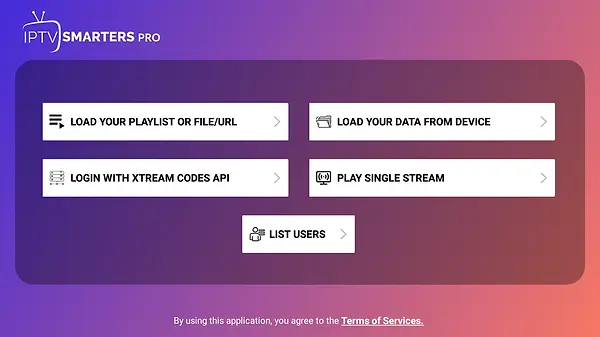
1. Install Downloader app
This app will allow you to install IPTV Smarters on your FireStick (browser downloads are not allowed).
You can also check out our detailed guide on how to install apps on FireStick with Downloader.
2. Click on the Search > Search option from the FireStick home screen.

3. Type the name of the application (Downloader).
Click on the Downloader option when it appears in the search results.
On the next screen, select the Downloader icon, then download and install the app.

4. Return to the FireStick home screen after installing the Downloader app.
In the menu bar, click Settings.

5. In Settings, select the “My Fire TV” option.

6. When the following menu appears, click on “Developer options”.
Go to “About” and then quickly click on Fire TV Stick 5 times to unlock Developer Options.

7. Click on “Install from unknown apps”.

8. Click on “Downloader” to enable the option (the status should change to ON).

With these settings, your FireStick is now ready to install IPTV Smarters as well as other third-party apps. Follow the steps below:
9. Now open the Downloader app.
When you first launch the app, you may see several prompts. Ignore them until you reach the next screen.
On this screen, make sure the Home tab in the left menu is selected, then click the URL text box on the right where it says "http://".

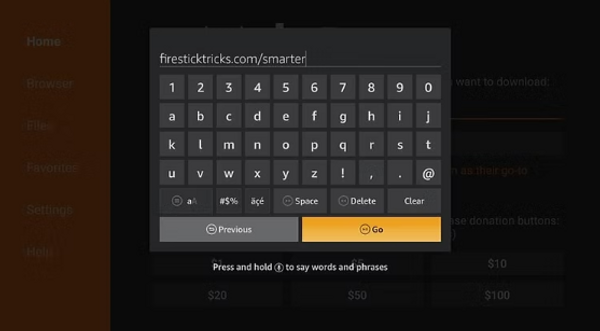
10. Enter the following URL in the text box: https://www.firesticktricks.com/smarter
Note: You can also use the shortened version of the URL firesticktricks.com/smarter
Then, click GO.
11. Wait one to two minutes while the IPTV Smarters app downloads on your FireStick device.

12. Once the download is complete, the Downloader app will launch the APK file and the installation will begin.
Click Install.

13. Wait until the installation is complete.

14. The installation ends with a notification that the application has been installed.
Now you can click OPEN to start using IPTV Smarters.
However, I recommend you to click on DONE to delete the APK file and thus save storage space on your FireStick.

15. If you clicked DONE, you will be back on the Downloader interface.
Click Delete.
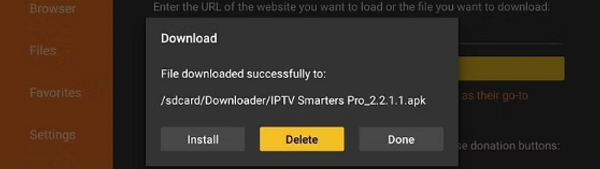
16. Click Delete again.

Great! You now have the IPTV Smarters app installed on your FireStick.
bottom of page